Challenge 01
Calls and emails
Field decisions do not always reach the project record, and status still has to be assembled by hand.
Project statusField reportsDecisions
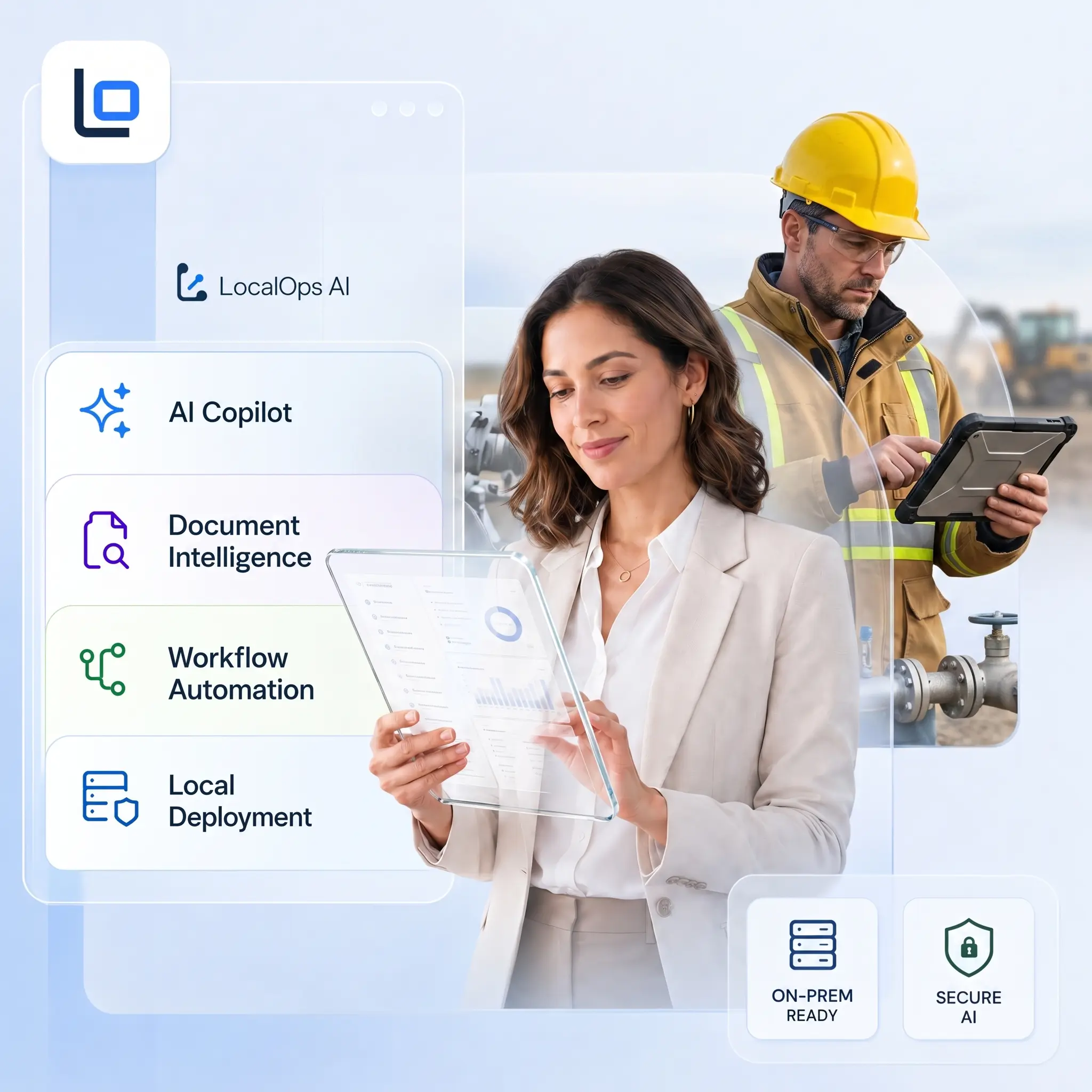
Local AI platform for field operations
LocalOps AI connects field reports, work card OCR, documents, equipment, and reports in one operational hub. Roll it out module by module without replacing your current systems.


Solutions for industries
Operational challenge
The result is simple: delayed decisions, manual reporting, lower transparency, and harder control over field work.
Modular solution
LocalOps AI works as an operational layer above the systems you already use. Start with one area: AI Workflow, Equipment and materials, or Resource Planning. Integrations launch after discovery, once data scope, permissions, and ownership are clear.
AI Workflow
Less retyping. Faster reports.
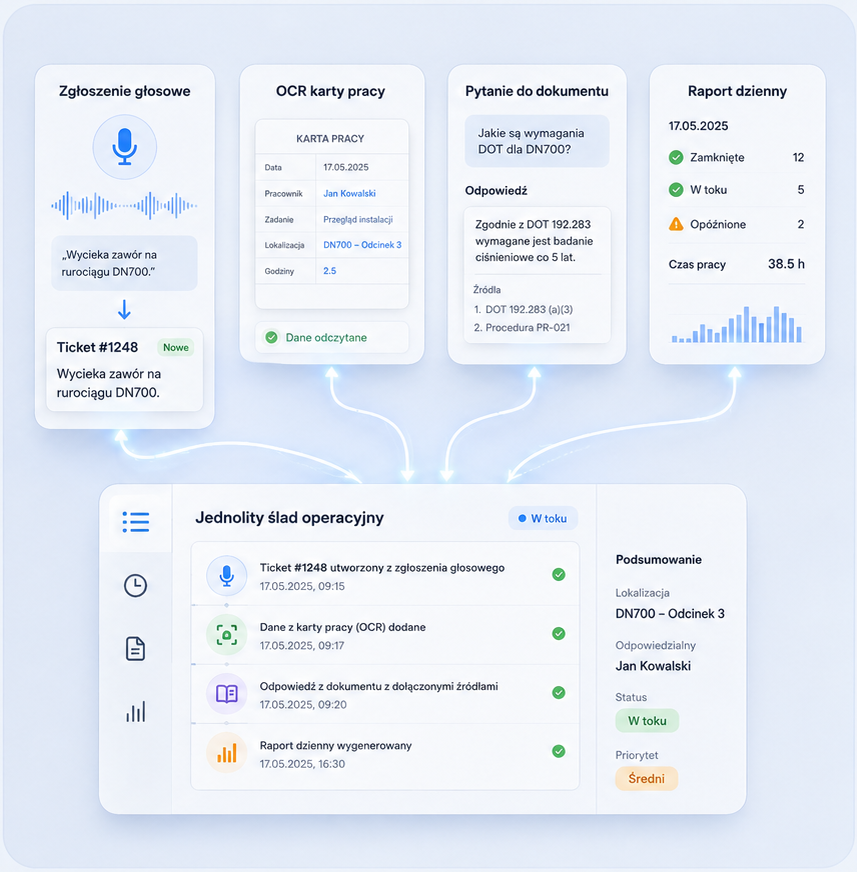
LocalOps AI turns voice notes, work cards, document questions, and daily reports into one clear operational record.
Fast start: from field report to daily summary
In the first pilot, we automate the most manual steps: field ticket creation, work card OCR, source-grounded answers, and the daily report, without retyping data between systems.
Equipment and materials
Always know who has the equipment and where it is
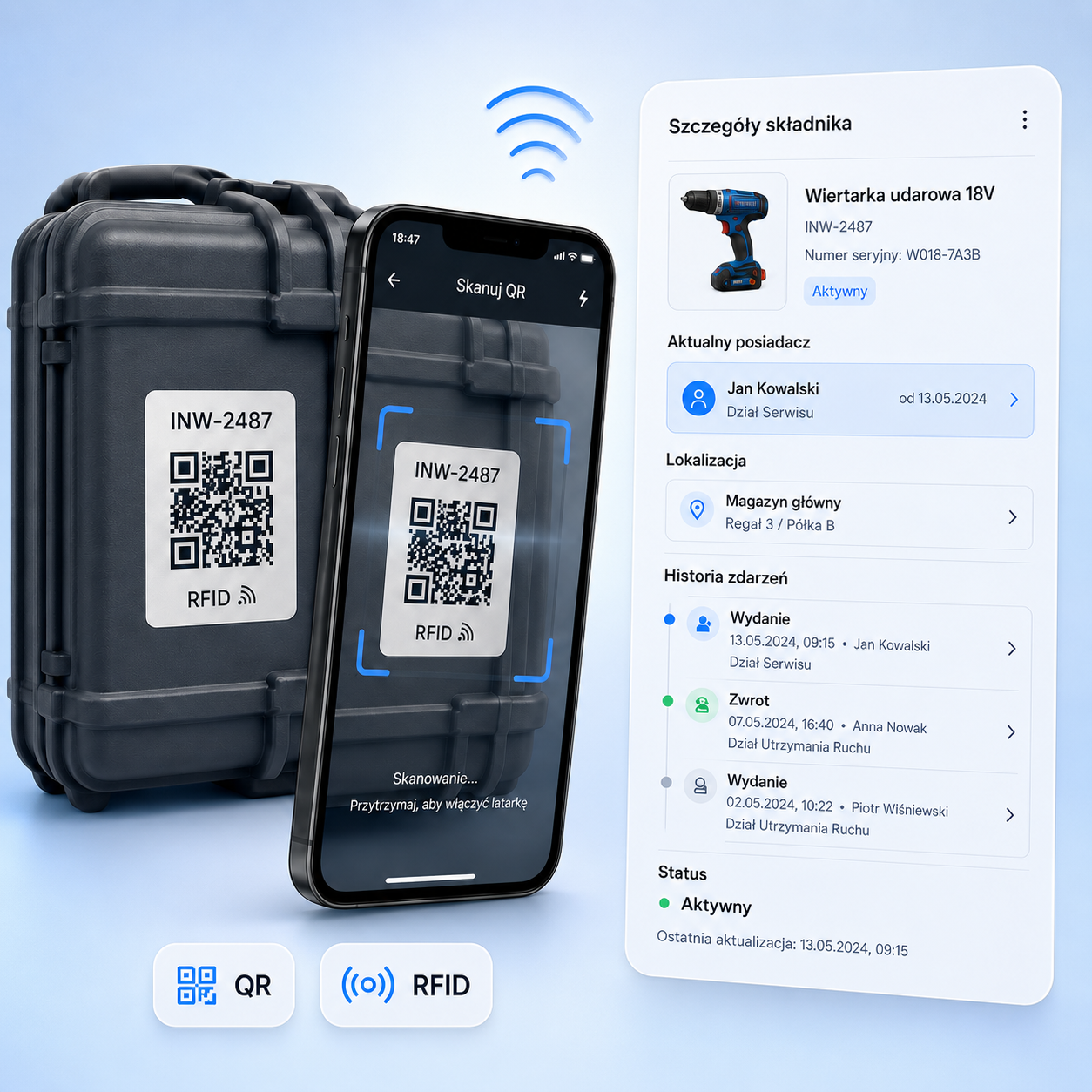
LocalOps AI records issues, returns, current holder, and equipment location across the office, warehouse, and field.
Fast start: scan, issue, return
The first pilot demonstrates a simple flow: QR/RFID scan, current holder view, digital issue, equipment return, and the full event history.
Resource Planning
Planning without collisions
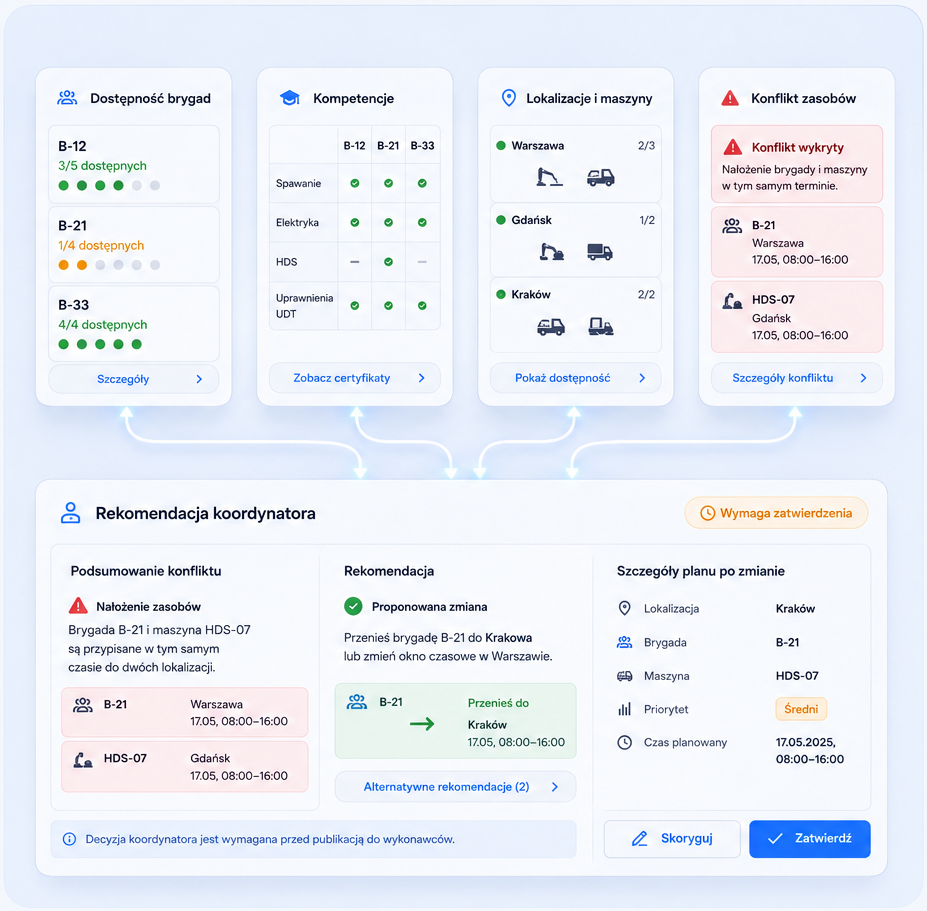
LocalOps AI shows crew availability, qualifications, machines, and locations so coordinators can spot conflicts earlier and approve the best schedule change.
People, equipment, and locations in one view
AI suggests. The coordinator approves. The first pilot shows a practical scenario: a crew and machine conflict in the same time window, a recommended adjustment, and coordinator approval before publishing the plan.
Integration Pack
One view without replacing systems
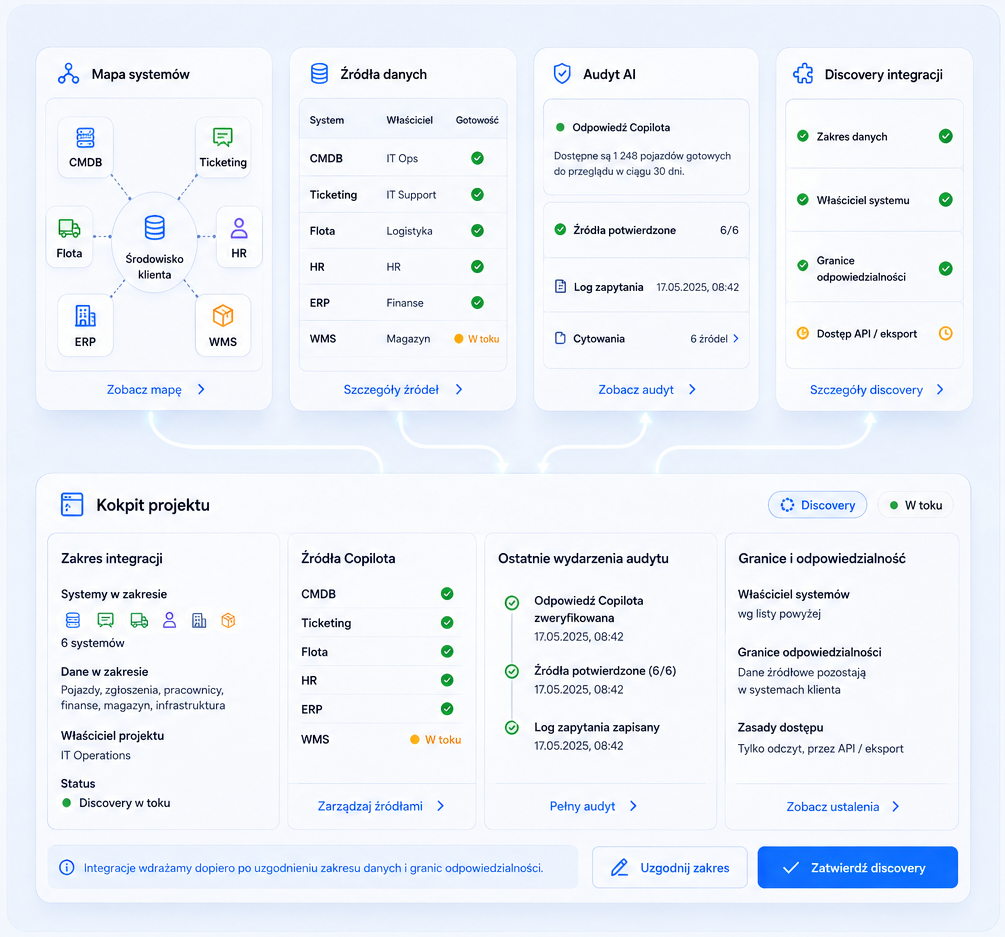
We connect projects, tickets, documents, fleet, HR, ERP, and WMS data in a simple operational view. No large migration up front: first we map data, ownership, and a safe integration scope.
LocalOps AI connects data from the tools already in place
Integration discovery. In the pilot, we show where data comes from, which sources feed Copilot, and what the audit trail looks like. Then we choose integrations ready to launch.
Why LocalOps AI
The comparison is grounded in field operations: from the field report, through equipment and planning, to an audit-ready daily summary.
| Operational area | Typical point tools | LocalOps AI |
|---|---|---|
| Capturing field data | Voice notes, chats, and photos are scattered across several channels. | Voice, OCR, and forms land in one case record. |
| Working with equipment and materials | Manual spreadsheets plus equipment status updated after the fact. | QR/RFID scans, accountability, and event history in real time. |
| Planning crews and machines | Plans are built manually, and conflicts appear only during briefings. | The system flags collisions earlier and suggests schedule options. |
| Reporting and audit | Final reports are assembled from many sources without a full decision trail. | Daily reports include sources, decisions, and a clear audit trail. |
| Deployment and integrations | Large migration projects happen before teams see first value. | Start with one module and launch integrations after data discovery. |
Implementation plan
A practical pilot path for LocalOps AI and the real operating cadence of field teams.
Stage 1 - Week 1
Map processes, data sources, and critical handoffs. Set pilot KPIs and decision owners.
Stage 2 - Weeks 2-3
Configure AI Workflow, Equipment, or Planning. The team starts working on real field cases.
Stage 3 - Weeks 4-5
Connect selected sources, validate data quality, and test the AI answer audit trail.
Stage 4 - Week 6+
Measure pilot impact, close the business decision, and expand to the next operating areas.
Start with one module. Measure impact before scaling.
Choose a pilot area: AI Workflow, Equipment and materials, Resource Planning, or Integrations. Each module has a clear scope, KPIs, and decision criteria before the next step.
Book a pilot